Ask Focal Point is the built-in AI assistant. Instead of tapping through screens, you can just ask — "what's due this week?", "summarize my open tasks", "add a task to call mom tomorrow" — and it reads from (and, with your okay, acts on) your own tasks, notes, projects, and trips. It's a Premium feature.
Premium required. Ask Focal Point is part of Premium. On the free tier the assistant is hidden and the upgrade prompt appears in its place; if your Premium lapses, your past conversations are kept and you can still manage them (see Settings & privacy below).
Opening the assistant
Tap the ✦ Ask Focal Point entry (the sparkle icon) from the main app to open the assistant.
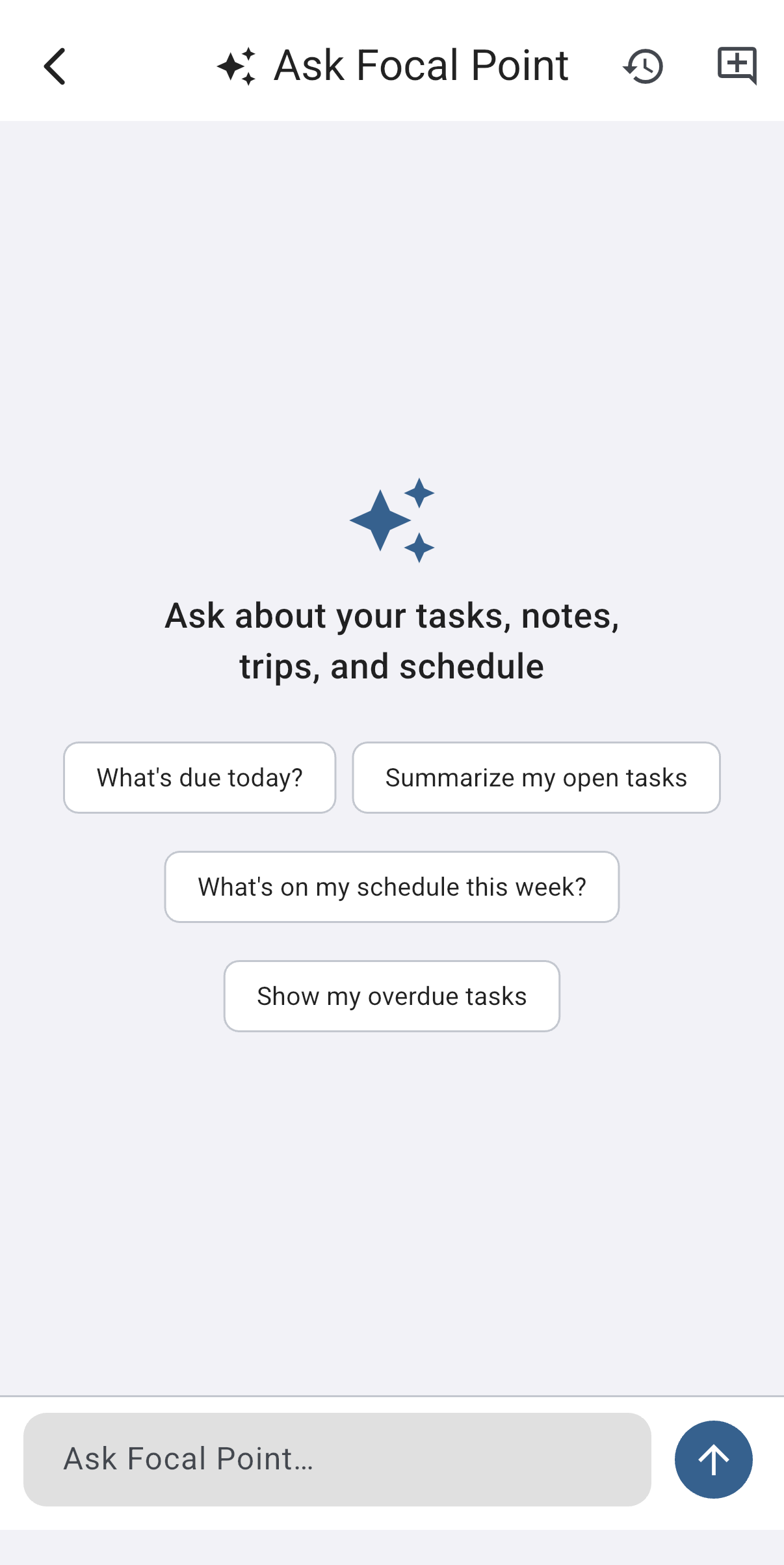
The first time you open a fresh chat you'll see a few starter suggestions — "What's due today?", "Summarize my open tasks", "What's on my schedule this week?", "Show my overdue tasks" — tap one to try it, or just type your own question in the box at the bottom.
What you can ask
Ask Focal Point is scoped to your Focal Point data and schedule. Within that, it can both look things up and make changes:
- Find & summarize — "what tasks are overdue?", "what do I have on Friday?", "summarize the notes in my Iceland trip", "which projects am I behind on?"
- Create & edit — "add a task to renew my passport, high priority, due next Monday", "make a note titled Packing list", "set a reminder for the dentist".
- Trips — log a trip expense, ask about reservations, or kick off the guided "Help me plan" flow that suggests stops and builds out an itinerary with you.
If you ask for something outside that scope (general trivia, writing an essay, anything unrelated to your data), it will politely say it can only help with your Focal Point tasks, notes, trips, and schedule. That boundary is deliberate — it keeps the assistant focused and your data private.
How it answers
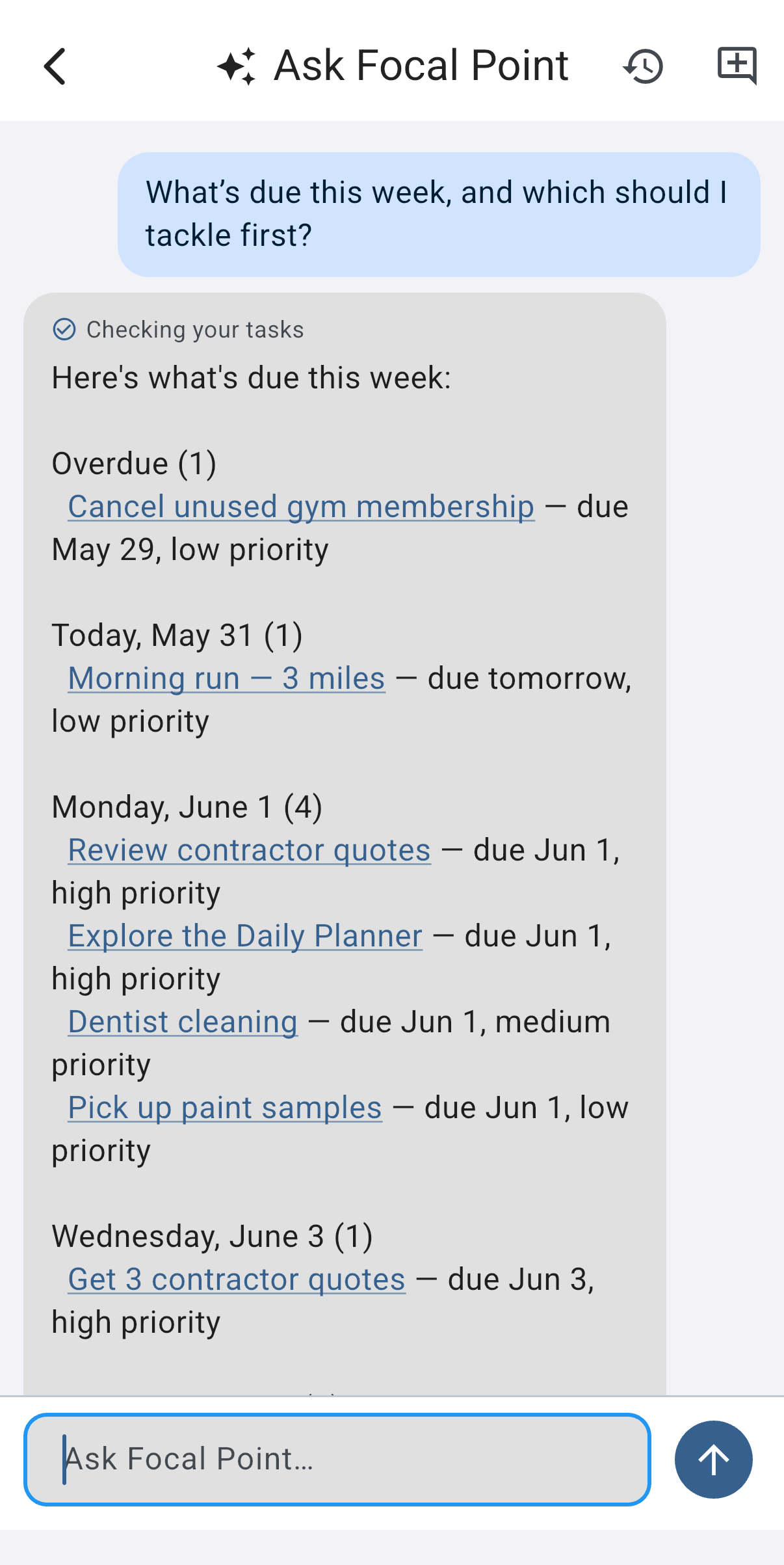
Answers stream in as they're generated, so you see the reply build word by word rather than waiting for a wall of text. While it works, you'll see what it's doing — small status chips like "Checking your tasks…" or "Adding a task…" — and once it finishes, those become a row of checkmarked steps showing exactly which actions ran.
When the reply mentions a specific task, note, project, or trip, that item shows up as a tappable link — tap it to jump straight to the thing it's talking about.
Making changes safely
The assistant can change your data, so a couple of guardrails keep you in control:
- Confirmation before risky actions. Anything destructive or financial — deleting something, logging a trip expense, or completing a task that lives in a shared project (a change your collaborators will see) — shows a Confirm / Cancel card first. Nothing happens until you approve it. Completing one of your own personal tasks is reversible and silent, so it doesn't interrupt you with a prompt.
- One-tap Undo. When the assistant creates something for you — a task, a note, a comment, a trip item — an Undo button appears next to the result for a short window. Tap it and the change is reversed.
What it can and can't see
Ask Focal Point only sees what you can see. It reads your personal items and any shared project you're a member of — and it respects each project's permission tiers, so it can't read or change anything in a project you don't have access to. It never reaches into other people's private data.
Settings & privacy
Manage the assistant under Settings → AI Assistant:
- Enable Ask Focal Point — turn the assistant on or off. (Premium-gated; toggling it while on free nudges you to upgrade.)
- Conversation retention — how long chats are kept before they're deleted automatically. Choose 30, 60, 90, or 180 days (default 90).
- Clear all chat history — permanently delete every conversation right now. This can't be undone.
Inside a chat, the toolbar has a history button (re-open a past conversation) and a new chat button (start fresh). Conversations are saved to your account and sync across your devices like the rest of your data.
How your data is handled. When you use the assistant, your messages and a snapshot of the relevant data (for example, the titles of the tasks it needs to read) are sent to Google's Gemini API for processing on a paid service tier. Under that tier Google does not use this content to train its models and retains it only briefly to detect abuse. Your conversation history lives on Focal Point's servers and is deleted automatically after the retention period above. See our Privacy Policy for the full disclosure.
Premium & AI usage
The assistant runs on the managed AI quota that's included with Premium — there's no separate AI bill and no API key to bring. See Premium → AI features.
Common gotchas
- It won't go off-topic. Ask Focal Point answers questions about your Focal Point data and schedule. It isn't a general-purpose chatbot, and it'll tell you so if you ask it to be one.
- Big "do everything" requests are bounded. The assistant works in a limited number of steps per turn so it can't run away with a huge fan-out. For a sprawling request, it may summarize and suggest a narrower follow-up — ask one more targeted question and it'll continue.
- Changes still follow sharing rules. If you ask it to edit something in a shared project where you're a read-only/lapsed member, it can't make that change — the same permissions that apply when you tap through the app apply to the assistant.
- Moving from Premium to Free. Ask Focal Point is a Premium feature, so if your Premium lapses the assistant is turned off — but your chat history isn't deleted. You can still adjust its retention or clear it from Settings → AI Assistant.
Was this helpful? Email support@milehighsoftwaresolutions.com with feedback, corrections, or questions we should add here.