A project is Focal Point's way of grouping related work. Tasks, notes, bookmarks, events, sticky notes, and documents all live either as personal items (just yours) or attached to a project (yours alone or shared with collaborators). This guide covers the project lifecycle — from creation through sharing, archive, and deletion.
Creating a project
- From the Projects tab, tap the + button. Focal Point asks what you'd like to create: a Project (tasks, notes, documents, collaboration), a Trip (adds stops, map, reservations, expenses — see Trips), or a trip drafted for you by Focal Point AI.
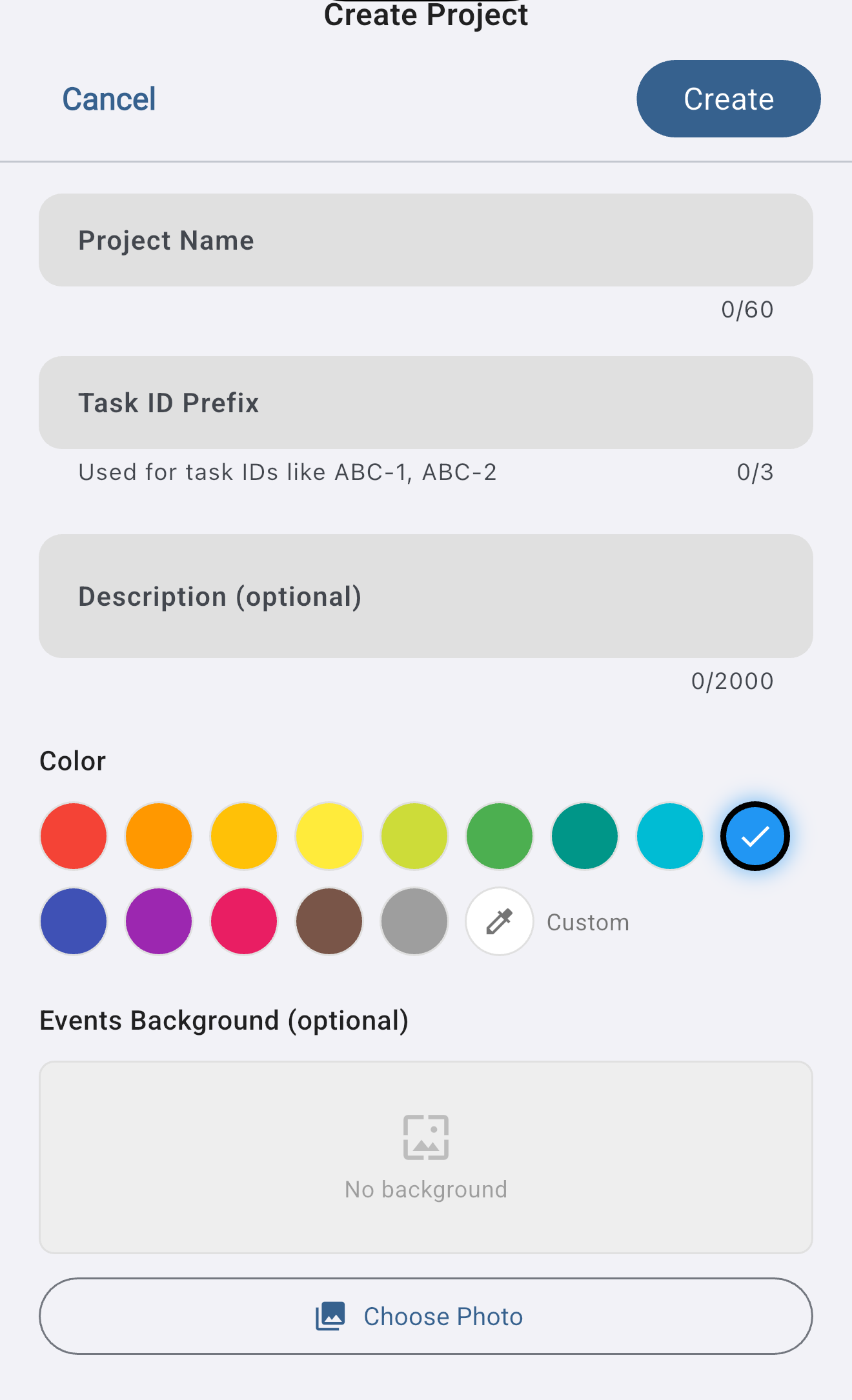
- On the Create Project form, give it a name, an optional task prefix (see below), an optional description, and a colour.
- Tap Create.
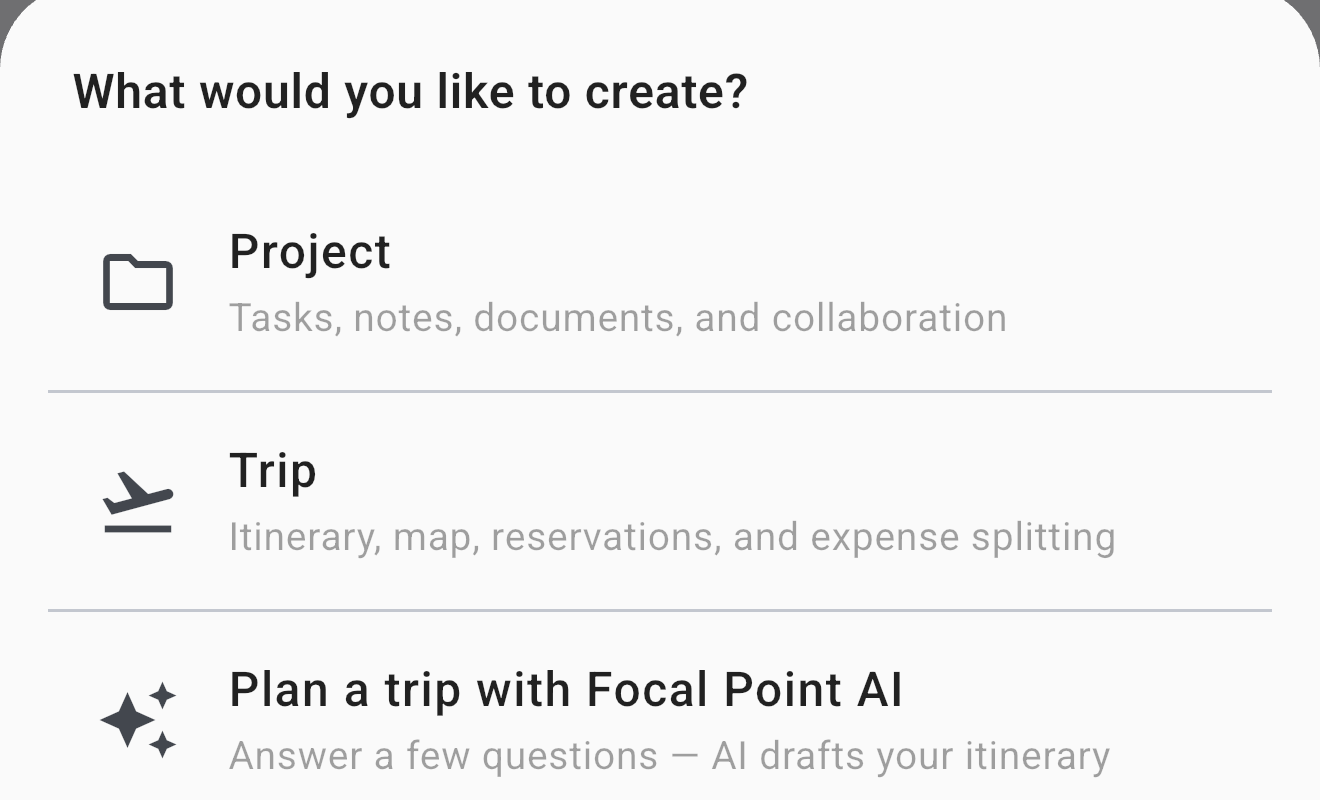
Project type is set at creation. You can't convert a standard project to a trip later (or vice-versa) — if you need to switch, create a new project of the right type and move content over.
Task prefixes
Each project has a task prefix — the short uppercase abbreviation that appears in every task key (QAS-2, SCB-29). When you create a project, Focal Point picks a default for you (typically the first 1-3 letters of the project name), but you can override it with your own abbreviation of up to 3 characters.
The prefix is permanent — once a task is keyed QAS-1, that key sticks even if you later rename the project. If you want a different prefix on future tasks, the cleanest path is a new project.
Free vs. Premium project limits
- Free — up to 3 personal projects, no sharing.
- Premium — unlimited projects, can share with collaborators, can be invited to other people's projects.
If you have more than 3 projects from a previous Premium period and you let your subscription lapse, your projects don't get deleted — they go into a read-only state until you resubscribe. See Premium for details.
Sharing a project
Both the project owner and the people they invite need active Premium subscriptions. To share:
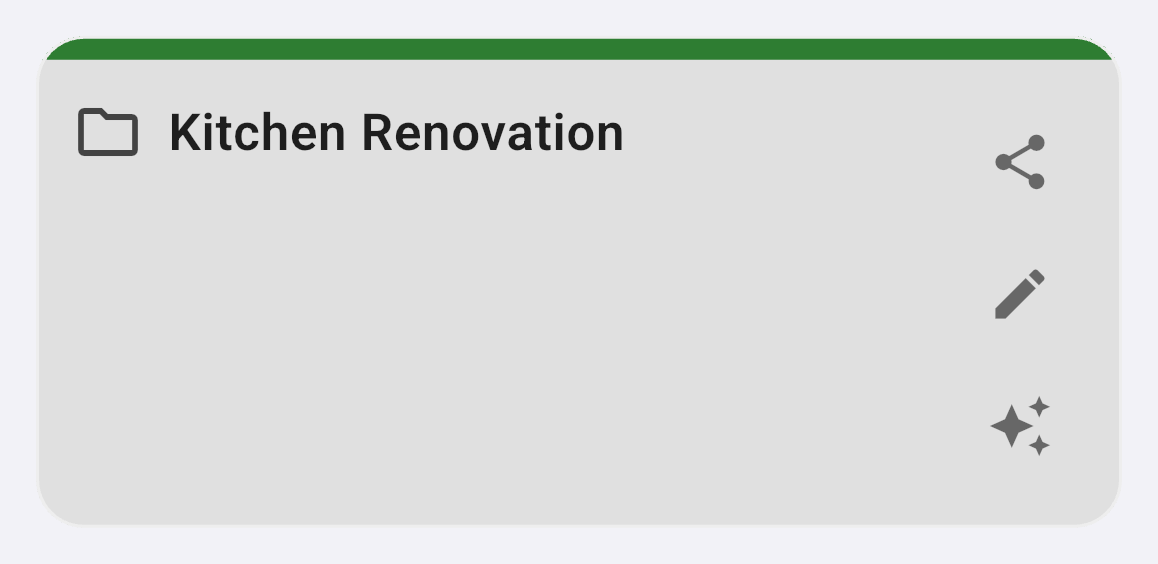
- In the Projects list, tap the share icon on the project's card — the top icon on the card's right edge:
- Select the person from your friends list — each friend appears with their name and their email beneath it. Only friends appear here; to share with someone new, add them as a friend first.
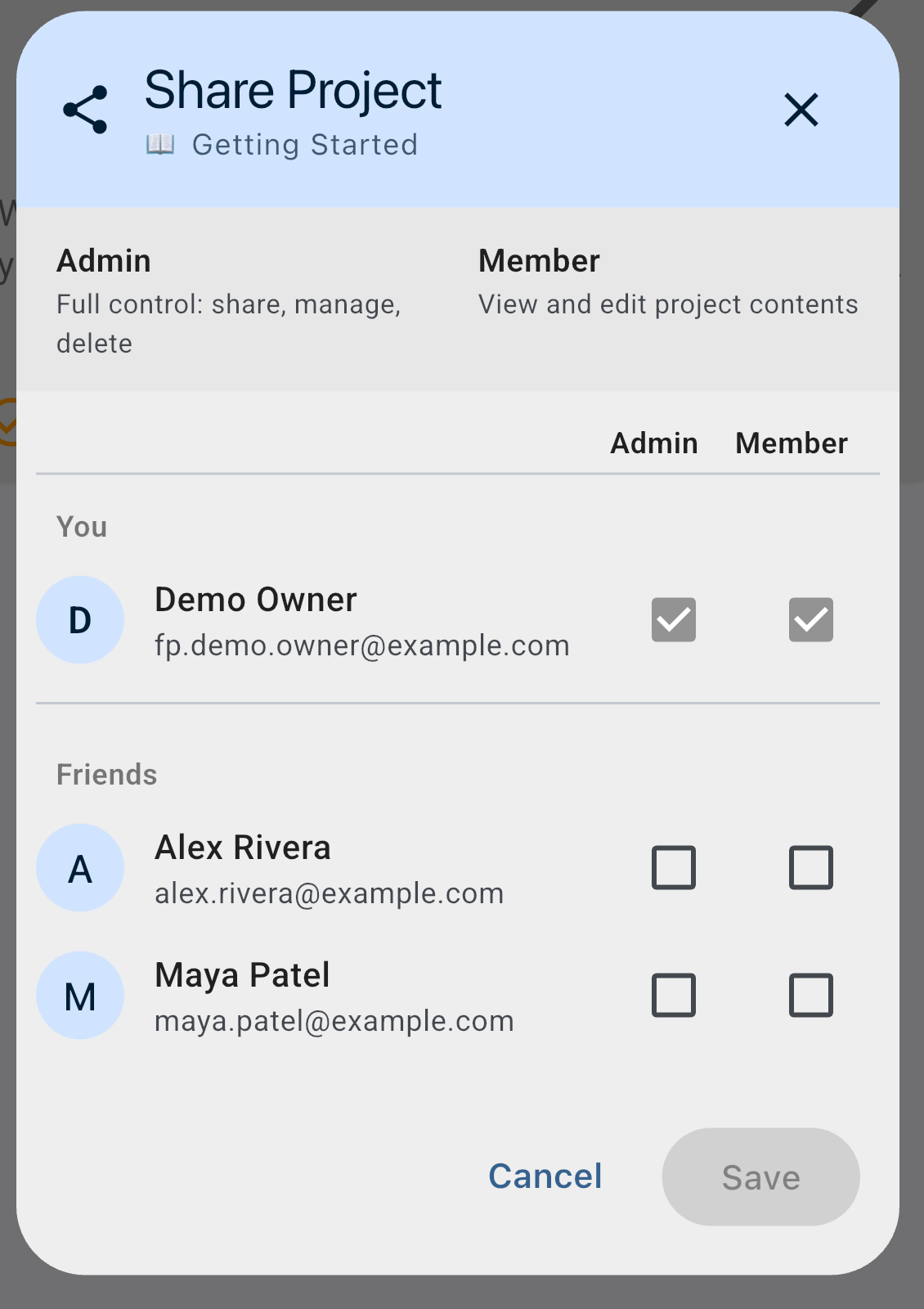
- Pick a permission tier (see next section). Tap Add.
The invitee gets a notification. Once they accept, they see the project in their own Projects tab with the appropriate access level. Changes sync in real time across collaborators.
Permission tiers
Two tiers:
- Member (default for new invitees) — full read + write on tasks, notes, events, etc. Can comment, add their own content, and edit content others created. Cannot manage members or delete the project.
- Admin — everything a Member can do, plus add / remove members, change other members' tiers, archive the project, and delete the project. There must always be at least one Admin — the project's creator starts as Admin and can only be demoted if another member is promoted first.
You can change a member's tier any time from the share dialog. The activity log records the change.
What happens when Premium lapses
There's no separate "view-only" tier you can assign — but a collaborator who used to be a Member and lets their Premium lapse effectively becomes read-only until they resubscribe. Their tier in the share dialog still reads "Member"; they just can't write anything new while non-Premium.
If your Premium lapses while you own shared projects:
- The projects continue to exist and your collaborators keep their access.
- You lose the ability to invite new members (that's a Premium-only capability per MYL-617). Existing collaborators are unaffected.
- Your own contributions to the project also go read-only — you can see everything but can't add or edit until you resubscribe.
- Resubscribing restores the full capability set.
If a collaborator's Premium lapses, they keep view access but lose edit access until they resubscribe. The activity log makes it visible when this transition happens so you know why their contributions stopped.
Free-tier users can't be added to shared projects in the first place — the share flow blocks the invite if the target user isn't Premium. Existing Free-tier members who joined back when they had Premium are grandfathered in (read-only until they resubscribe).
Leaving a shared project
If you've been invited to someone else's project and want out:
- Open the project and tap the share / member-management surface.
- Tap Leave Project next to your name.
- Confirm. You're removed from the member list immediately.
Leaving removes your access. The project itself stays, the other members are unaffected, and your past contributions (tasks you created, comments you wrote) remain attributed to you but you no longer see them in your own views. If you're the only Admin, the app prompts you to promote another member to Admin before leaving.
Archive vs. delete
Two ways to "put a project away":
- Archive (reversible) — the project stops appearing in your active list, but the data is intact and can be restored any time. Use this for projects that are done-for-now but you might want to reference later, or for seasonal projects that come back annually.
- Delete — the project (plus everything inside it: tasks, notes, comments, events, sticky notes, documents, trip subdocs) moves to Trash with a 30-day recovery window. While the project sits in trash, none of its contents appear in active lists, planner, calendar, or search — same behavior as an archived project. Restore the project to bring everything inside back in one step; otherwise the nightly cleanup hard-deletes it after 30 days and the cascade is irreversible.
Both actions are admin-only on shared projects. See Delete a single project for the full cascade detail.
Searching across projects
The global search bar at the top of every Planner / Tasks / Notes view searches across every project you have access to, plus your personal items. Each result row shows the project name so you can disambiguate. Scope by project via the filter pill if you only want to search inside one project.
Common gotchas
- The project's creator stays Admin by default. Even if you promote a collaborator to Admin, both of you are admins together. The creator can't be the only Admin demoted — promote another member first.
- Inviting non-Premium users. The share flow rejects Free-tier invitees with a clear error. Suggest they subscribe (link in the dialog) and try again. Once they're Premium, the invite works normally.
- Renaming a project doesn't change the task prefix. Tasks already keyed under the old prefix keep their keys; new tasks added after the rename still use the old prefix. Edit the prefix in project settings if you want the change to flow forward.
Was this helpful? Email support@milehighsoftwaresolutions.com with feedback, corrections, or questions we should add here.